
Email Deliverability Checklist
Get your complimentary copy of the Email Deliverability Checklist to get a lift in deliverability.
Introduction
Email continues to be one of the best mediums to stay connected with your audience. This is true for both business and personal use. According to Statista, it is estimated that 4.6 billion people have an email address, making it the one channel with the potential to reach nearly everyone on the planet.
That’s a lot of potential, but in order to tap into that power, your message must make it into the inbox to be seen. And by inbox, I mean the primary inbox; not promotional, junk or even worse yet, spam!
But exactly how do you make sure your communications consistently land in the inbox? Two words: Email Deliverability.
Email deliverability is the key metric that determines the fate of your email communications. It is the deciding factor on whether your message is placed in the inbox, flagged as spam, or ends up being blocked.
Email providers like Gmail and Yahoo have taken a more holistic approach to deliverability. They are leveraging user behavior and trust signals to determine which category to place your messages. It’s all part of a concerted effort to protect their users from receiving unwanted emails and spam.
I think we can all agree that mailbox providers ratcheting up efforts to fight spam and unwanted emails is a good thing, right?
The bad news? If your click through rates dip, spam complaints rise or campaign engagement stalls, your email deliverability will suffer.
The stricter guidelines carry a lot of weight when it comes to your sender reputation. This score ultimately decides how your communications are handled; trusted sender delivering valuable content or serial spammer.
Ready for the good news? There are proactive steps you can take to mitigate the risk and ensure your emails hit the inbox.
So where should you start?
In this post, we’ll cover 10 steps you should take in order to maximize reach.
Email Deliverability
Email Deliverability is the term in in email marketing that measures your ability to get your emails to be seen. This means landing in your recipients primary inbox instead of being castigated to promotions, junk, spam or being blocked from delivery!
No matter how compelling your content, subject line, and offer, it stands to reason that if your email doesn’t land in the primary inbox, the chances of it being seen, let alone receiving any engagement.
Delivery vs. Deliverability
One thing that people often confuse is email delivery with email deliverability. They are not the same thing. Many marketers look at their campaign report, see a 98%+ or better delivery and assume all is well. They represent two different measures in your message’s journey.
- Email Delivery: Email is accepted by recipients mail server. The mailbox provider has accepted the message, but provides no indication of where it was placed.
- Email Deliverability: Measures the quality of placement after being delivered. Specifically, did it land in the primary inbox or relegated to promotions, junk or spam.
The key takeaway here is that email delivery is not necessarily correlated with email deliverability. Hgh delivery rates are common if you perform proper list hygiene, but your inbox placement could be poor, placing your deliverability rating in the tank.
If your email deliverability is not currently where you would like it, read on as we’ll discuss the steps you can take now to remedy the issue in the next section.
Boost Deliverability in 10 Steps
Most email deliverability issues can be fixed relatively easy when you follow the right plan. There are several factors you need to be aware of to keep your communications landing in the inbox.
If you are experiencing email deliverability issues, the following 10 steps are proven to help get you back on track as quick as possible.
- Authentication Protocols
- List Quality
- Content Quality
- Sender Reputation
- Personalization
- Engagement Metrics
- One-Click Unsubscribe
- Secure Marketing Domains
- Test Inbox Placement
- Rinse and Repeat
Authentication Protocols
Setting up email authentication protocols is no longer voluntary – that ship sailed way back in 2024. In order to give your messages a chance of being seen, they have to make it into the recipient’s primary inbox. Otherwise, the odds are stacked against you if your messages are placed in other folders like promotions, junk or spam.
If you want to tip the odds back in your favor, setting up proper authentication protocols is mandatory. There are three, and I’ll introduce each one briefly below:
SPF (Sender Policy Framework): This DNS entry specifies which servers are allowed to send email on behalf of your domain. Think of the SPF record as a front line defender to nip spoofing and phishing in the bud. Receiving servers use the SPF record to validate if the sending server is allowed to send messages on behalf of a domain.
DKIM (DomainKeys Identified Email): DKIM is a digital signature that detects if emails were tampered with during transit. The sender adds a cryptographic signature to the email header using a private key.The DKIM’s public key is published as a TXT record in DNS. The receiving server looks this up and uses it to verify that the contents of the email match what was sent.
DMARC (Domain-based Message Authentication Reporting & Conformance): DMARC builds on top of SPF and DKIM. that allows you to monitor your domain to protect from being spoofed or used in phishing attacks. DMARC also defines your delivery policy that instructs receiving servers on how to handle messages that fail authentication and alignment checks.
DMARC provides aggregate and forensic reporting, allowing visibility into who is attempting to send mail from your domain. This valuable feedback loop allows you to monitor, troubleshoot email deilverability issues and strengthen your overall email security posture.
For example, you could publish a DMARC policy that emails failing verification be quarantined or rejected. DMARC can provide valuable information from a feedback loop in the form of reports that allow you to monitor and improve your email security posture.
Read more on DMARC Record Anatomy to learn more about setting up your DMARC policy.
If you want to make it into the inbox of the big mailbox providers, make sure to publish and verify your SPF, DKIM, and DMARC records with your DNS provider.
This is non-negotiable as Gmail and Yahoo started enforcing email authentication protocols in 2024. Your message will be penalized if you don’t comply. This is especially true for bulk senders, classified as anyone transmitting more than 5,000 emails per day.
Even if you are not a bulk sender, setting up your authentication protocols in DNS is strongly recommended. This first step is critical to keep your messages landing in the primary inbox.
If that isn’t enough, authentication will protect your domain from being spoofed, used in phishing attacks, protect messages from being tampered with during transit ans provide reporting critical to your feedback loop.
List Quality
Poor list quality provides a strong signal to email providers that they should not trust you as a sender. As a result of the importance of this signal, this is one of the quickest ways to get your communications filtered or outright blocked.
What should you do to to make sure your lists are of the highest quality as possible?
First, build your lists organically. Avoid the temptation of purchasing or renting lists to ramp up your audience size. Instead, drive subscriptions through a sign-up form on your site by providing valuable information and content.
Second, make sure you utilize a double opt-in system in order to get the subscriber to verify they want your emails. You don’t want to send communications to someone that doesn’t want it. Doing so will just tank your engagement, driving down your sender reputation.
You must stay diligent on analyzing engagement. Remove any subscribers that don’t interact with your communications after a period of time. Address bounces in a timely manner, especially hard bounces. You want to keep your bounce rate well below 1% to maintain a solid sender reputation.
List hygiene should be a top priority if you want to keep your email deliverability rate high. Proactively running your lists through a verification tool at regular intervals will keep your list healthy. Email verification tools will remove invalid addresses, hard bounces, and honey pots.
You should take SPAM complaints seriously by adhering to regulations like the CAN-SPAM Act, GDPR, and other regulations. Not only is it a best practice for maintaining list quality, but it will help you dodge hefty fines as well.
For example, the FTC compliance guide shows fines of up to $53,088 per email for violations. I don’t know about you, but that’s a risk I wouldn’t be willing to take on.
Since reporting your email as spam is easy – the recipient simply clicks a link or button to report, your unsubscribe needs to be just as easy in order to counter. One-click unsubscribes are now the standard to encourage users to unsubscribe rather than report your emails as spam. One-click unsubscribes will be covered in detail below.
It may seem counter intuitive, but scaling back the total number of sends, paired with the right message, sent to the right audience, at the right time, drives superior engagement compared to blindly blasting irrelevant communications to your entire base.
Content Quality
Since making it into the primary inbox is the prerequisite for driving positive response and engagement, your content needs to be of high value in order to skyrocket your sender reputation and have a positive impact on deliverability.
Below are some suggestions for generating high-quality content:
- Segment your audience to send communications that aligns with their interests.
- Your content must deliver real value. You want to inform, solve problems and provide insights. Emails with purely promotional information will hit File 13 quicker than than you can say “Unsubscribe me!”
- Ensure HTML emails are well-coded and optimized for mobile. Include plain text versions for email clients that don’t render HTML.
- Avoid spam-trigger words or excessive use of caps and exclamation marks.
- Keep the text to image ratio at 80:20. Your communications should be text heavy and light on images. Emails with skewed use of images to text will hurt your deliverability as it triggers spam filters, viewed as low-quality and low-value content.
- Subject lines should be honest to accurately reflect the content of the message. Subject lines that mislead almost always result in an increased number of spam complaints.
- Limit the number of links in your emails to 3 or less. Avoid using shortened URLs as they will be treated as suspicious and less likely to clicked.
- Use links instead of attachments. Attachments are a known attack vector to deliver malware, so excessive links can trigger spam filters.
- Use A/B testing to optimize content. Always run a Champion/Challenger to test what is working best with your audience.
- Test your emails across various email clients and devices to ensure proper rendering. If your audience can’t read your messages, how do you expect them to engage?
There simply is no substitute for high quality content. Email deliverability, engagement and sender reputation all fall under its purvey. Make sure your content is relevant and provides value to your audience to land consistently in the primary inbox.
Sender Reputation
Sender Reputation is the score email service providers and internet service providers assign to email senders. The score is based on prior sending patterns and represents the trustworthiness of the sender. IP and domain reputation also play a major part in the overall score.
Sender reputation has a huge impact on email deliverability and is largely responsible for whether your message hits the inbox, gets admonished to the junk folder or is blocked.
With sender reputation being so important, it makes the decision of choosing an email service provider critical to your success. You want to avoid providers that use shared IPs if at all possible. Otherwise, your delivery could be impacted by bad neighbors if sharing the same pool of IPs to send out low-quality content.
You can get all of the other ingredients right for a successful campaign, but if you end up on the wrong side in sender reputation, it will nullify all of your hard work.
Imagine all the effort spent crafting the perfect subject line and hook to engage your audience; all that washed down the drain when your messages don’t make it into the inbox. That’s what is at risk if you partner with the wrong ESP.
Another important element in protecting your sender reputation is to keep a consistent sending schedule. Regular communication patterns build trust with mailbox providers and will always outperform infrequent blasts. A sudden spike in volume will lead to throttling or derail prior email deliverability gains. Best to spread a campaign out across multiple days, sending at regular intervals rather than try a mass send that will trigger alerts with mailbox providers.
Personalization
What’s the most important word to a person? Their name!
Personalization is a critical element in email marketing to capture attention leading to improved email deliverability.
Using a person’s name in your communications will trigger a sense of familiarity and lead to a better chance to connect. Personalization removes the impersonal feeling of email, giving your communications more of a one-to-one feel.
Since engagement is such a heavily weighted component, it pays dividends to sprinkle in personalization when it comes to email deliverability. While using their name in communications might seem basic, when their name is placed in the subject or pre-header, it routinely lifts open rates by as much as 50%.
Advanced personalization techniques have been shown to yield open rates around 29% with click through rates growing to 41% according to statistics provided by ElectroIQ.
Bottom line: utilizing personalization in your communication strategy will result in more opens and clicks. The increased engagement sends a positive signals that will increase your sender reputation, leading to better inbox placement for your efforts.
Engagement Metrics
As discussed throughout this post, engagement is a vital component to email deliverability. Regular review of your email campaign metrics allows for monitoring feedback loops, making data-driven decisions and adjustments accordingly.
The engagement metrics you want to focus on to improve email deliverabilty follows:
- Click-to-Open Rate: Considered the “real” engagement rate due to its power to show interest, correlating to content relevance. 3-11% is the typical range depending on industry. Aim for 10-20% to elevate your sender reputation with that of top performers.
- Click-Through Rate: Tracks action by measuring the number of clicks on the links within your email. Lower rates signal irrelevance and have a strong correlation to spam complaints and unsubscribes. A CTR between 2-5% should be your goal.
- Open Rate : Measures the percentage of your audience that opened your communication. Its accuracy is questionable due to requiring tracking pixels being loaded, which most email clients block by default.
- Conversion Rate: Percentage of your audience who take a desired action from within your communication. For example, making a purchase, signing-up for a webinar, downloading an asset, etc.
- Bounce Rate: The percentage of emails that fail delivery. There are two main types: hard and soft. Hard bounces are permanent delivery failures. Think invalid or non-existent addresses. Soft bounces are temporary delivery issues, such as a full inbox or non-responsive server. Cut hard bounces immediately. Keep the overall rate below 2% to avoid damaging your sender reputation.
- Unsubscribe Rate: The percentage of subscribers who opt out from receiving your communications. Higher rates suggest irrelevance, bad timing or poor list quality.
- Spam Complain Rate: Measures the percentage of emails that are reported as spam. Must be below .3% for compliance, but aim to stay below .1% to maintain sender reputation.
- Time Spent / Read Rate: Indicates how long a recipient reads the email. Not all platforms provide this and it requires a tracking pixel being loaded to measure.
- Movement Actions: Not generally provided by mailbox providers but important nonetheless. When email is moved from spam to inbox, it acts as a trust signal that will impact sender reputation positively.
One-Click Unsubscribe
One-click unsubscribe is a mechanism that allows recipients to opt-out of your communications with a single click from within their inbox. While it is not a direct replacement for the unsubscribe link placed in the footer of your messages, it offers a few additional benefits.
One-click is preferred, because it improves the user experience because opting out doesn’t require the recipient to be redirected to a web page or fill out forms to get removed from your list.
Another compelling reason (besides compliance) is that one-click unsubscribe could potentially reduce spam complaints.
As mentioned earlier, mailbox providers make it easy to report your emails as spam. One-click does the same for unsubscribing. By simplifying the unsubscribe process, frustrated recipients are less likely to report the communication as spam.
And the payoff could be huge. According to Marcel Becker, a Sr. Director of Product Management at Yahoo, he’s noted a significant impact in reducing spam complaints with one-click unsubscribe.
“We have seen by implementing this unsubscribe affordance in the UI that spam marks go down and in some cases are being reduced by 30 to 40%.”
One thing to note, one-click is only required for promotional and commercial messaging. Transactional emails are not impacted by this change.
RFC 8058 is the standard that defines one-click functionality. Without getting too technical, a List-Unsubscribe-Post header must be included in the header, which is the mechanism that makes one-click unsubscribe possible.
If you don’t currently have one-click implemented, you will want to make this a priority to improve deliverability. Gmail and Yahoo started enforcing RFC 8058 back on June 1, 2024.
Here’s what is required for a one-click unsubscribe to be RFC 8058 compliant
- Must be DKIM-signed, and both headers must be included in the DKIM signature (
h=tag). - The server must process the POST request and honor the unsubscribe immediately.
- Unsubscribe requests must be processed within 48 hours.
Secure Marketing Domains
Consider using branded domains or subdomains for marketing and outreach initiatives. Sending marketing or cold emails from your primary domain can impact delivery of transactional and corporate emails. It is best to isolate business from marketing.
By isolating domains, the sender reputation is separated and will avoid any spillover that might impact your email deliverability negatively for your main domain. As an added benefit, you will gain insight when monitoring sender reputation, blacklist and inbox placement across the different domains based on their roles.
Test Inbox Placement
One thing to note is that “delivered” is not the same as “seen.” Delivery is a common metric reported in campaign performance by your ESP. Unfortunately, this doesn’t tell you where the email was placed. It counts the same, whether the email lands in the primary inbox or is filtered into a junk or promotions folders.
Obviously, this leads to a blind spot because if the messages are not routed to the primary inbox, there’s a good chance your audience will not see your communications or have an opportunity to interact with it.
There are plenty of tools that monitor and report inbox placement as a service. I won’t recommend any here, but a quick search will put you on the right track.
One free alternative, but requires a more manual approach, is to create accounts on major providers (Gmail, Outlook, Yahoo). Add those addresses as seeds in your lists. This will allow you to monitor email deliverability first-hand to see exactly where your messages are actually landing.
Rinse & Repeat
As much as I would love to tell you that email deliverability is a “set and forget” operation, that’s simply not the case. It requires constant monitoring and adjustment to maintain. Proactive maintenance is required so you need to routinely analyze your results and pivot when necessary.
Sender reputation is dynamic and ever changing. Your scores could change with every communication based on metrics like bounce rates, the number of spam complaints, and the level of engagement.
List quality degrades over time as addresses become stale. Regular intervals of cleaning, verification and segmentation are necessary to stay on top of your lists and provide high quality content that is of interest to them.
Optimizing your content is a never ending “job” as well. If you want to keep your audience engaged to signal the value your communications provide to your audience, content and strategy need to be tweaked by monitoring your feedback loops to keep email deliverabilty at a healthy level.
Spam triggers and algorithms change constantly. It’s a constant cat and mouse game between mailbox providers and spammers. As a result, filtering rules change, requiring additional adaptations to continue to get into the primary inbox.
Staying on top of your feedback loops, regular review of engagement metrics along with continuous A/B testing of your content will help to ensure your communications stay on the right side of the equation when it comes to email deilverability.
Conclusion
We’ve covered a lot here. You now know how important email deliverability is to your campaign success. You know Delivery and Devliverability are not the same thing and how they differ.
You now have the exact steps you should take to get your deliverability back on track and what to monitor to keep it going in the right direction.
If you are currently struggling with email deliverability or experiencing any of the issues discussed thus far, do yourself a favor and grab a copy of our 10-Step Email Deliverability Checklist.
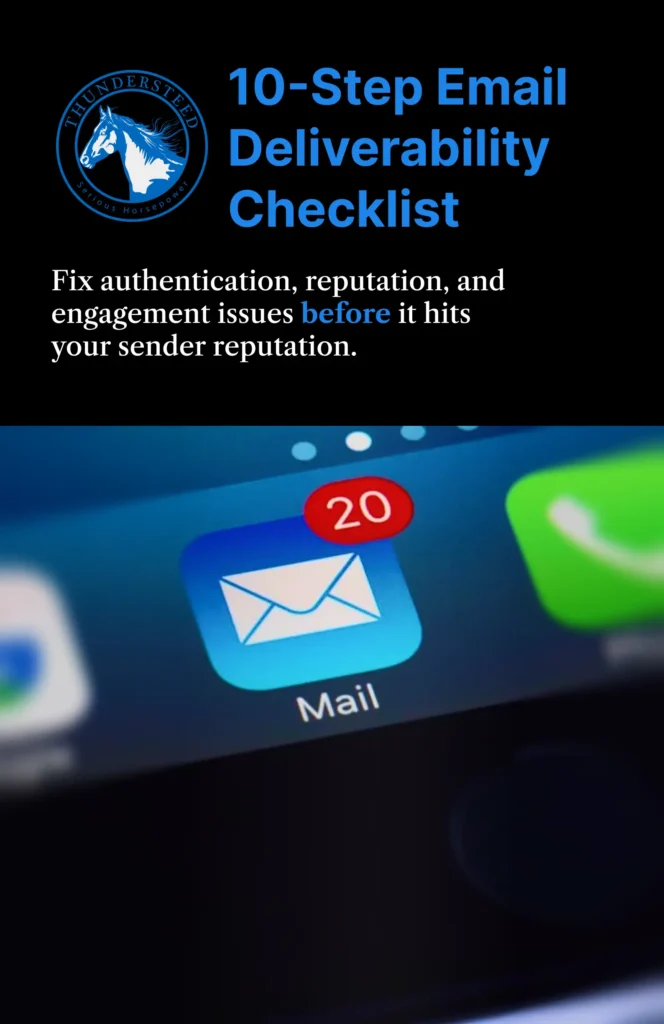
There’s no cost for this valuable resource – you don’t even have to give up an email address. What you will get is expert insight that provides common issues that will allow you to identify root causes and fix email deliverability issues fast.
Our checklist contains the same playbook that SMBs and marketers use to continuously get their communications seen through premium inbox placement.
Apply the concepts discussed here to see just how quickly they will flip the script for you to solve your email deliverability challenges.
P.S. For even faster results, check out the “Quick Wins” section to get a 20-50% lift in record time.
Have any questions or just want to discuss your specific challenges with deliverability?
Schedule a consultation to get your free, no-obligation audit with recommendations from the team at ThunderSteed.